A Practical Guide to Phone Number List Preparation for Multi-Platform Verification
Master phone number list preparation with our guide on CRM data cleaning, E.164 formatting, and CSV/TXT uploads for silent bulk verification.
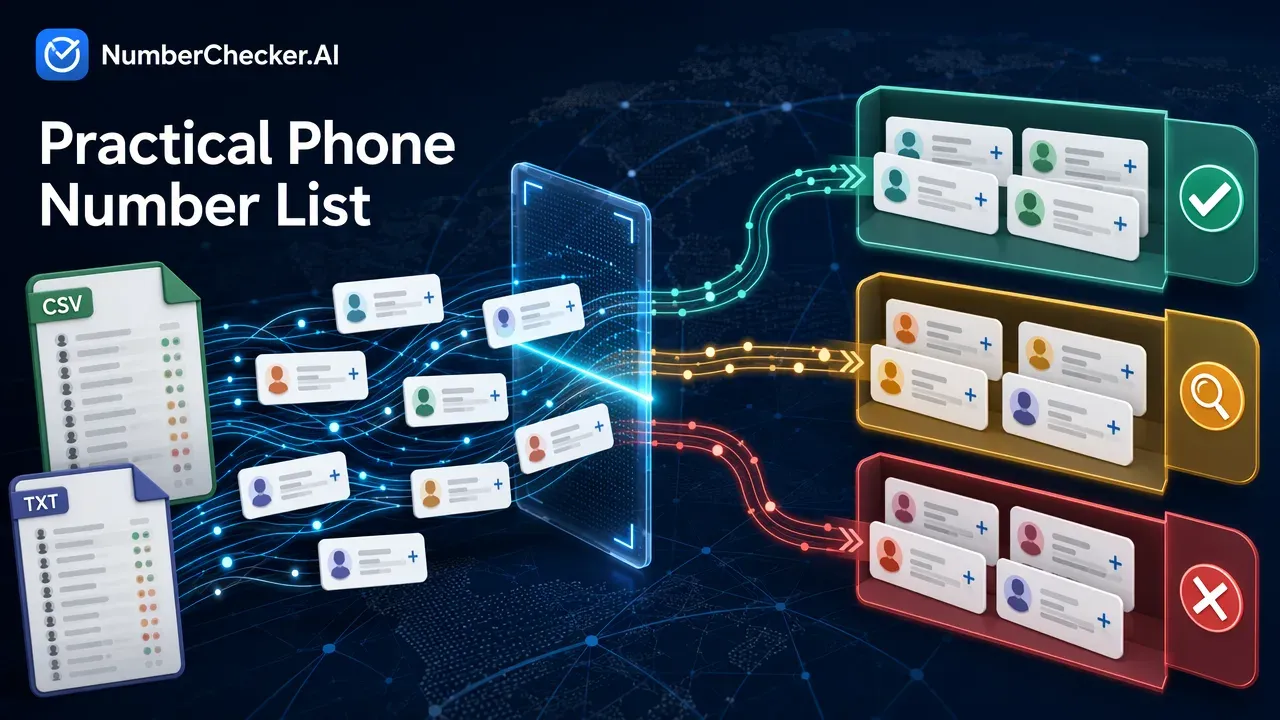
Phone number list preparation involves cleaning and standardizing your contact data into a consistent format, such as the international E.164 standard, and saving it as a CSV or TXT file. This foundational step ensures seamless bulk verification, removes invalid numbers, and improves the ROI of your outreach campaigns without alerting the account owners.
The Cost of Poor CRM Data Hygiene
The Cost of Poor CRM Data Hygiene
Raw CRM data often fails in automated systems due to inconsistent entry methods, typos, and outdated records. When marketing and sales teams rely on unverified, poorly formatted lists, campaign performance plummets. In fact, inaccurate lead information wastes 27% of a sales rep’s time.
Proper CRM data cleaning ensures that automated dialers and verification tools can process your lists efficiently. By establishing a strict protocol for data entry and maintenance, organizations can eliminate dead numbers before they drain resources, setting the stage for high-converting outreach campaigns.
Understanding International Formatting Standards
Understanding International Formatting Standards
To ensure interoperability with systems worldwide, standardizing your data is essential. The most critical standard for global outreach is the E.164 format. This internationally accepted standard for phone numbers requires the string to begin with a plus (+) symbol followed by the country code and the numeric string.
For example, formatting a US number in E.164 format looks like +1 202 555 1234 or +1 2025551234.
Another relevant specification is the E.123 format, an International Telecommunication Union standard for the notation of national and international telephone numbers, e-mail addresses, and web addresses. Adopting a global perspective and adhering to these standards is critical, especially when preparing lists that will be verified across hundreds of countries.
Best Practices for CRM Data Cleaning
Best Practices for CRM Data Cleaning
Before exporting your data for verification, you must clean the raw inputs. Consistency in phone number formatting is crucial for automated dialer solutions and CRM systems to function without errors.
Remove Inconsistent Punctuation
Removing punctuation—such as parentheses, dashes, and spaces—from phone numbers is a recommended practice for automated systems. While humans find (555) 123-4567 easier to read, software prefers a continuous numeric string. Use spreadsheet formulas or CRM automation rules to strip these characters out automatically.
Standardize Country Codes
Ensure every number in your database includes the correct country code prefix. If your CRM mixes local formats with international formats, bulk verification tools may misinterpret the data, leading to false negatives.
Compliance and Data Hygiene
Compliance and Data Hygiene
Formatting is only one half of list preparation; compliance is the other. Phone number lists must be checked against Do-Not-Call (DNC) registries to ensure compliance with privacy regulations.
Maintaining strict data hygiene protects your brand from legal penalties and improves overall campaign deliverability. Always ensure that your contact lists are sourced ethically and that you have the appropriate permissions to initiate outreach before running them through any verification or dialing system.
Preparing Your CSV/TXT Upload
Preparing Your CSV/TXT Upload
Once your data is cleaned and formatted to the E.164 standard, the next step is saving it for bulk verification. A CSV/TXT upload is the most universally accepted method for processing large datasets without requiring complex API integrations.
- Isolate the Data: Ensure your file has a single column dedicated exclusively to the phone numbers. Remove names, emails, or company data from this specific export to prevent parsing errors.
- Check File Limits: Verify the row count of your spreadsheet. Break massive databases into manageable batches if necessary, though enterprise tools can handle substantial volumes.
- Export as Plain Text: Save your spreadsheet as a Comma-Separated Values (.csv) or Plain Text (.txt) file. Avoid proprietary formats like .xlsx or .numbers, which can introduce hidden formatting artifacts.
Silent Bulk Verification with NumberChecker.AI
Silent Bulk Verification with NumberChecker.AI
After completing your phone number list preparation, you can seamlessly validate your contacts to ensure they are active on your target platforms. NumberChecker.AI offers a no-code platform that allows businesses to silently bulk-verify up to 1,000,000 phone numbers across 45+ platforms using a simple CSV or TXT upload.
Because the verification process relies on account-related signals rather than direct messaging, it is entirely silent and real-time—meaning it does not notify or alert the account owner. Supporting over 200 countries, the platform is perfectly suited for lists formatted to the E.164 standard. By integrating this bulk verification step into your workflow, you can eliminate dead numbers, segment your audience by platform presence, and dramatically maximize your outreach ROI.
Frequently Asked Questions (FAQ)
What is the E.164 phone number format?
The E.164 format is an internationally accepted standard for phone numbers that requires the string to begin with a plus (+) symbol followed by the country code and the numeric string.
How do I prepare a CSV file for phone number verification?
To prepare a CSV file, clean your CRM data by removing inconsistent punctuation, standardize the numbers to the E.164 format, and export the list with a single dedicated column for the phone numbers.
Why should I remove punctuation from phone numbers in my CRM?
Consistency in formatting, such as removing punctuation like parentheses and dashes, is highly recommended because it prevents parsing errors in automated dialers and CRM systems.
Can I verify phone numbers without notifying the owner?
Yes, using a silent bulk verification tool allows you to check active numbers across multiple platforms in real-time without sending messages or alerting the account owner.
Get Started with NumberChecker.AI
Try NumberChecker.AI free — 1,000 checks on sign-up, no credit card required.
Ready to get started?
Try our WhatsApp number validation service and see the difference clean data makes.

