User Guide
Quick Start
Account Preparation
- Register an account
- Log in
- Recharge your account balance based on expected detection volume
Detection Operations
Batch Detection
- Go to the Detection Products page
- Select the desired detection product
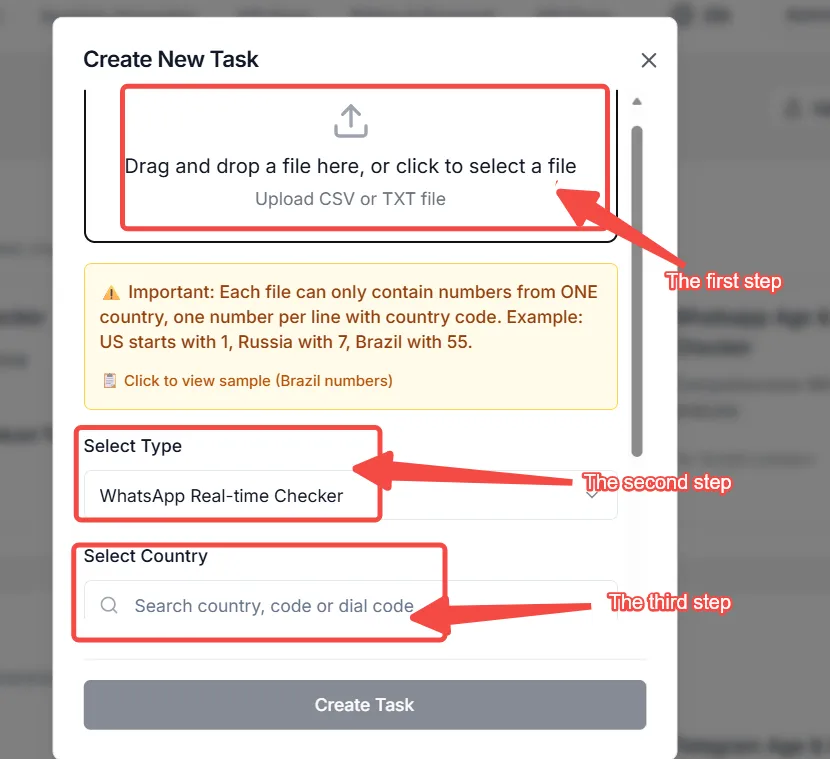
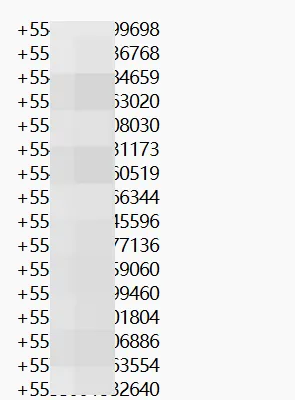
- Upload number file (TXT/CSV)
- Select country code or verify auto-matched country
- Submit for detection
Optional Sample Detection
- Use the free demo to preview one detection result
- Enter a sample phone number
- Click Detect
- Upload a full TXT/CSV list when you are ready for production checks
Result Management
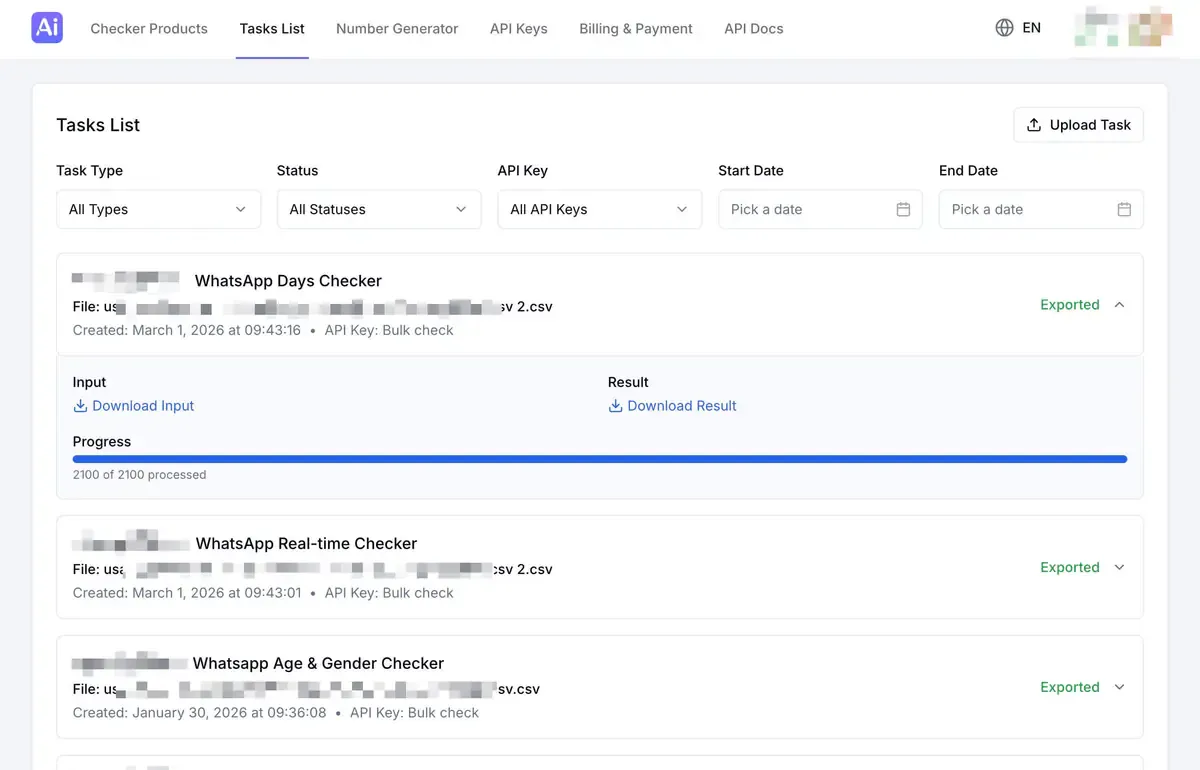
- Check task progress in Tasks List
- Filter and export results after completion
- View historical tasks anytime
Advanced Operations (For Enterprises & Developers)
API Integration
- Apply for an API key in the Personal Center
- Review API documentation
- Test API in the sandbox/test environment
- Deploy into production environment
The API supports high-concurrency batch calls and is suitable for enterprise-level automation systems.

