MAX Checker or Full Info Checker: Which Result Does Your List Need?
Compare MAX Checker with MAX Full Info Checker to determine whether your phone list needs platform registration signals or enriched profile data.
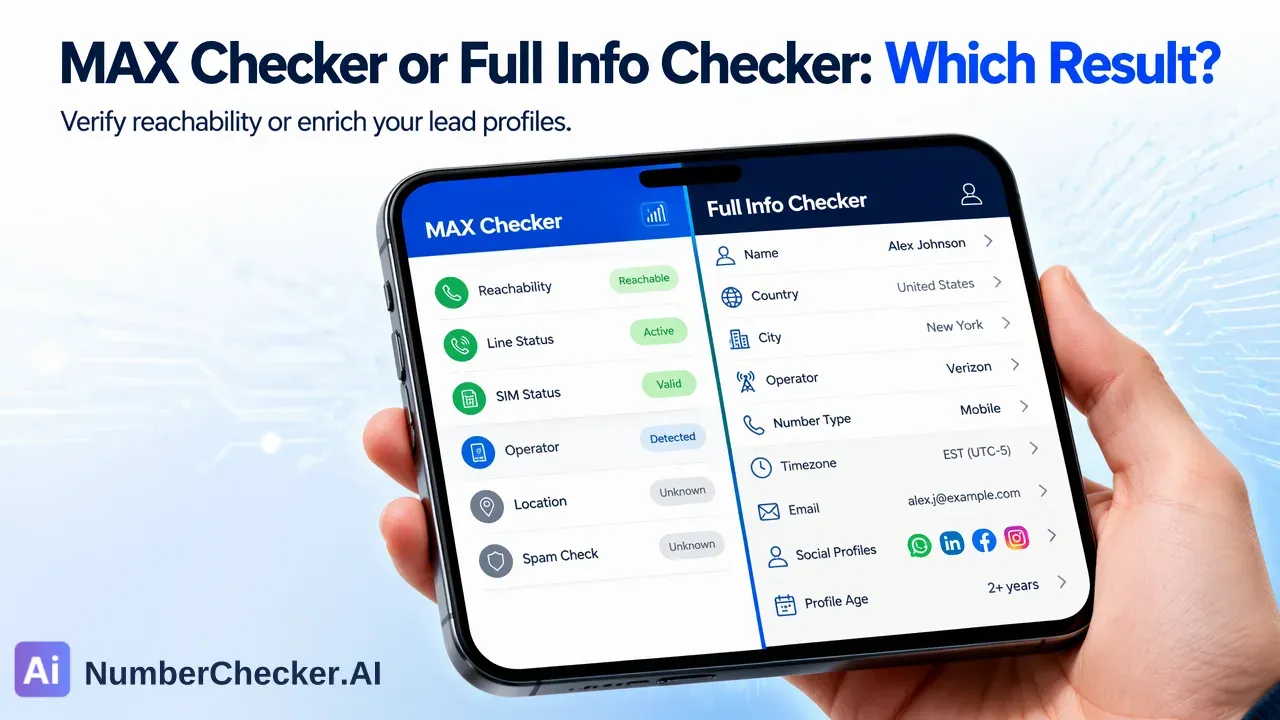
Choosing between MAX Checker and a Full Info Checker depends on your operational objective. Choose MAX Checker when your priority is confirming whether phone numbers are registered on the platform to establish reachability at the moment of the check. Choose a Full Info Checker when your team requires additional profile, demographic, or activity context to prioritize outreach and segment records based on available public data.
Understanding the Two Checking Approaches
Managing large contact databases requires matching the depth of verification data to your operational workflow. At NumberChecker.AI, our bulk checking tools provide distinct signal depths depending on whether your objective is basic platform reachability or enriched segmentation.
MAX Checker serves as a dedicated platform-signal tool. It evaluates whether uploaded phone numbers have an active registration on the MAX platform at check time. This delivers a straightforward binary indicator of account presence without retrieving additional profile attributes.
In contrast, Full Info checkers provide registration status alongside available profile, demographic, or activity enrichment. Rather than stopping at registration status, this tier evaluates accessible public profile data to supply operational teams with extended context for lead prioritization and account routing.
Comparing Core Capabilities and Data Outputs
Selecting between a registration-only check and an enriched profile check involves trade-offs between data scope, processing simplicity, and analytical depth. The following breakdown outlines how both approaches compare:
| Capability | MAX Checker | Full Info Checker |
|---|---|---|
| Primary Output | Platform registration status | Registration status plus available enrichment |
| Profile Context | Not included | Available public profile and demographic attributes |
| Activity Insights | Not included | Available platform activity signals |
| Primary Application | High-volume reachability screening | Lead scoring and account prioritization |
| Data Source | Platform account presence | Publicly accessible profile data |
A registration signal confirms platform presence at check time. It does not establish general phone validity, identity ownership, user intent, or consent. Similarly, profile enrichment depends entirely on publicly accessible details; records without public profile data return registration signals without extended attributes.
When to Choose MAX Checker
MAX Checker is designed for operations teams handling large contact lists where the primary requirement is verifying channel reachability.
Teams benefit most from MAX Checker in the following scenarios:
- High-Volume Channel Filtering: When segmenting multi-channel contact databases, identifying registered numbers helps teams separate reachable platform accounts from unregistered lines before launching outreach campaigns.
- Database Hygiene Audits: Regular audits of legacy contact lists can confirm whether previously registered records remain present on the platform.
- Cost-Conscious List Verification: For high-throughput verification pipelines that do not require demographic modeling or profile segmentation, registration checks offer a streamlined dataset. Review current rate structures on our pricing page.
Because this tool focuses strictly on registration status, it allows teams to filter large volumes without processing unnecessary data fields.
When to Choose Full Info Checker
A Full Info Checker is best suited for workflows requiring contextual intelligence beyond basic reachability. When teams need to tier inbound leads or refine operational outreach based on audience characteristics, enrichment provides helpful decision support.
Common applications include:
- Inbound Lead Prioritization: Sales operations teams can evaluate available demographic and profile indicators to prioritize high-value prospect queues.
- Audience Segmentation: Marketing teams can group contacts using available activity or profile signals to inform relevant messaging strategies.
- Contextual Account Review: Risk and operations teams can use accessible profile details as an additional reference signal during manual reviews.
Teams should account for the fact that enrichment attributes depend on publicly accessible profile configurations. An absent profile attribute simply reflects unavailable public data and should not be treated as proof of an inactive or invalid contact.
Preparing Your Phone List for Processing
Ensuring optimal results across both registration and full info workflows begins with structured list preparation. NumberChecker.AI processes contact lists using bulk uploads and asynchronous processing.
To prepare your data effectively, follow these operational standards:
- File Formats: Prepare your contact records in standard CSV or TXT file formats.
- List Structure: Upload files containing one country per file, with one phone number per line including the country code (the leading plus sign is optional).
- Pre-Check Formatting: Run raw contact data through our free Number Cleaner in the dashboard Toolbox. This tool normalizes numbers to E.164 formatting while removing syntax errors and duplicate entries prior to initiating a paid check.
- Workflow Execution: Submit your formatted list via the dashboard or through our asynchronous REST API. Once processing finishes, results are downloadable as a consolidated ZIP file for downstream segmentation.
By normalizing lists beforehand, teams maintain consistent data hygiene and avoid submitting duplicate or malformed numbers.
Frequently Asked Questions (FAQ)
Does a platform registration signal prove a contact will respond to outreach?
No. A platform registration signal verifies only that an account is registered with the platform at check time. It provides reachability context, but it does not confirm active use, device possession, recipient identity, user intent, or consent, nor does it guarantee message delivery or replies.
Can teams switch from a registration check to a Full Info check after processing begins?
No. Bulk checking tasks process uploaded lists according to the specific service selected at submission. To obtain enriched profile attributes for a list originally processed through a standard registration check, you must submit a separate bulk check selecting the enrichment service.
How should teams handle records where profile enrichment fields return empty?
Enrichment attributes depend on available public data associated with each account. When profile fields return empty, teams should retain the base registration signal to verify account presence and route records with missing enrichment into standard, non-personalized operational workflows rather than assuming or fabricating contact identity.
Get Started with NumberChecker.AI
Explore NumberChecker.AI’s supported bulk list-checking products and choose the capability that fits your workflow.
Ready to get started?
Try our WhatsApp number validation service and see the difference clean data makes.

