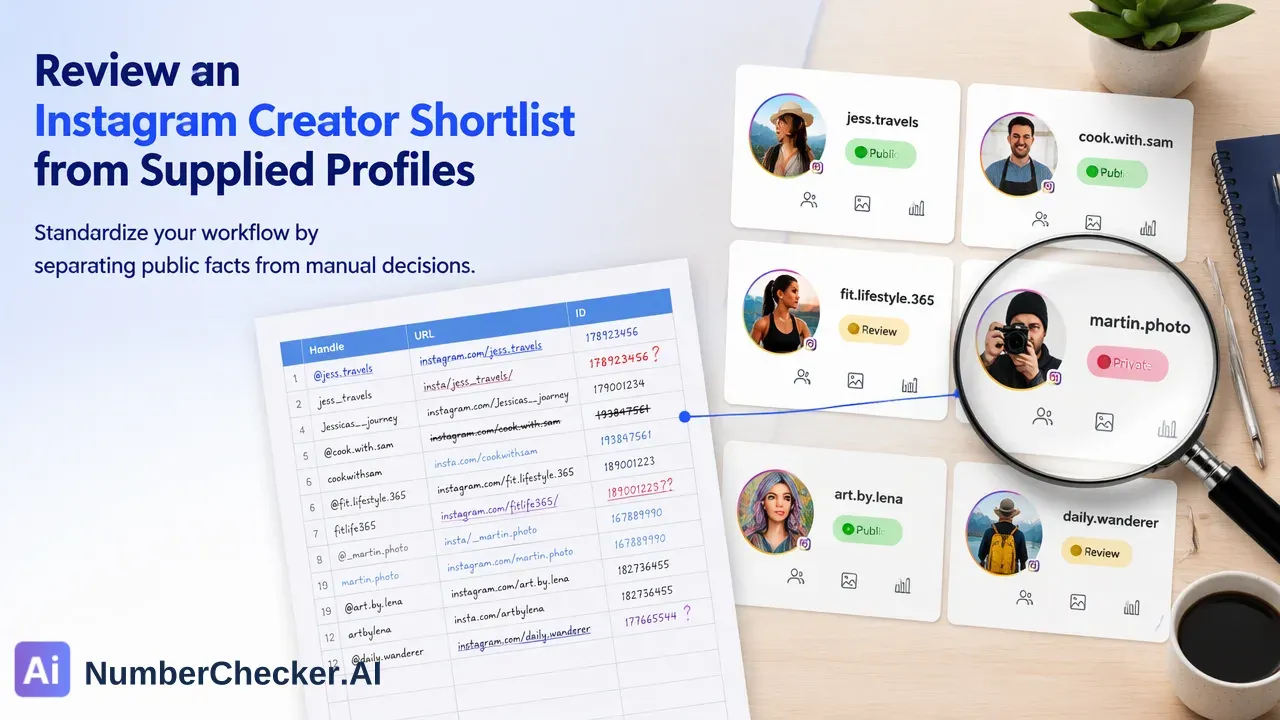
Review an Instagram Creator Shortlist from Supplied Profiles
Use supplied Instagram handles or URLs to organize visible profile facts, then make a separate manual content-fit decision.
Start with the Instagram handles, IDs or profile URLs your team already has. Use the Instagram ID/Username Profile Checker for available public profile and visibility fields, keep the original identifier and check date, and review content fit manually before choosing a creator.
Start with a shortlist you already have
A partnerships team might receive a spreadsheet of creator suggestions from staff, clients or inbound enquiries. The first problem is usually practical: one row has a handle, another has a profile URL, and a third uses a numeric ID. Before anyone debates audience fit, the team needs a consistent way to review the supplied profiles.
NumberChecker’s Instagram ID/Username Profile Checker documentation describes a bulk profile workflow for supplied usernames, IDs and profile URLs. That differs from a phone- or email-based Instagram registration check: those products start with contact identifiers and answer a platform-presence question. A creator shortlist starts with known profiles and asks what public profile facts are available for review.
Keep the original URL or handle in the source column, even after normalizing it for the upload. Add who supplied it and why it entered the shortlist. A result is easier to interpret when a reviewer can trace it back to the original client suggestion rather than trying to reconstruct the source from a displayed name.
Use visible fields for first-pass sorting, not a partnership verdict
The profile product can return available public information such as a displayed name, account identifier, biography, visibility and public counts. These fields help a reviewer find obvious mismatches: a profile may have a name that does not match the client’s proposal, a private visibility state, or a bio describing an unrelated subject. Counts can help the team understand the visible scale of a profile at the time of the check; they do not measure who watches a particular post or whether an audience is genuine.
A first-pass worksheet can carry six reader-facing columns: original profile input, returned name or identifier, visible biography or category context, visibility, available public counts, and the reviewer’s next action. Leave a field blank or mark it “not available” when the result lacks a usable value. Do not turn a blank count or avatar into a zero, a fake-account accusation or a technical diagnosis. The documented overview and one status-field description do not align cleanly for private or avatarless profiles, so the worksheet should avoid using that status alone as a rejection rule.
General Instagram viewer pages focus on opening one public profile or showing visible counts (Inflact; UnfollowCheck). A partnerships review needs a retained decision record across the supplied list, including the cases that cannot be judged from public fields.
Give private and incomplete profiles a review path
If a profile is private, public checking cannot substitute for permission to see its content. Mark “content fit requires direct review” and ask the creator or client for the material needed for the actual partnership decision. Do not infer a niche, posting style or audience from the handle alone. If a public field is absent, retain the row for follow-up rather than silently removing it from the shortlist.
For a hypothetical row, imagine the supplied link identifies a creator whose public name and bio match the campaign topic but whose recent content cannot be reviewed from the available public fields. The next action is not “approve.” It is “request recent examples and audience evidence from the creator.” A second row with a visible high count still needs the same content and audience-fit questions. The profile result does not supply post-level analytics, engagement rates or authenticity scoring.
A reviewer can tag each row “check content,” “clarify identity or URL,” “await creator material,” or “out of scope after manual review.” These are team decisions recorded alongside the check, not verdicts computed by the checker. A dated snapshot avoids presenting changing public values as permanent facts.
Finish with a manual content-fit decision
After sorting, open the profiles that are available to the reviewer and inspect recent work against the actual brief: topic, audience language, format, tone and any brand-safety requirements the client has defined. Ask the creator for information that public profile fields cannot establish, such as campaign-relevant audience evidence and permission to use sample content. Record the reason for shortlisting or declining in ordinary terms.
A useful review note might read: “Profile link supplied by client; public name and bio match the product category; public count recorded on the check date; content examples still needed before outreach.” This separates observed fields from the reviewer’s judgment. It also keeps the decision usable if a display name or count later changes.
When preparing the next creator review, gather the supplied handles and URLs, run the documented profile check, and keep the dated result beside a manual content-fit column. That gives the team a defensible first pass without pretending that a public profile snapshot chooses the partner for them.
Get Started with NumberChecker.AI
Explore NumberChecker.AI’s supported bulk list-checking products and choose the capability that fits your workflow.
Ready to get started?
Try our WhatsApp number validation service and see the difference clean data makes.

