Why Some Addresses Are Missing from an Email Check Export
Route a mixed email list by supported provider, then reconcile excluded, unchecked and unverifiable addresses without calling them invalid.
An email address missing from a check export is not automatically invalid. NumberChecker.AI’s Email Deliverability Checker supports specified consumer providers, and its separate Email Avatar Checker supports a narrower set. The current email checker documentation says addresses outside supported providers and aliases are excluded from processing and results. A mixed CRM list therefore needs a routing step before upload and a reconciliation step afterward. Keep unsupported, not submitted, unresolved and observed outcomes distinct. Only the addresses actually checked can receive an interpretation from that check.
Choose the email question before routing providers
The two documented products answer different questions. Email Deliverability Checker checks mailbox availability for Gmail, Yandex, Mail.ru, iCloud, Outlook and Yahoo, subject to the documented aliases. Email Avatar Checker looks for a public avatar for Gmail, Yandex and Mail.ru. An address eligible for a deliverability check is not necessarily eligible for an avatar check. A customer team should write the desired signal beside each source list before sending anything to a task.
A company address on a private domain is not covered merely because its syntax is valid or its domain has mail records. The free dashboard Email Cleaner addresses a different preparation layer: syntax, MX, duplicates and disposable addresses. Those checks can make a list tidier, but they do not convert a company mailbox into a supported provider for a named availability or avatar product. Similarly, an avatar observation should not be called a deliverability result.
Use the product’s current documentation to determine provider and alias eligibility. Do not infer coverage from the presence of an at sign, a brand name in a domain, or a successful upload. Eligibility is a property of the selected service and the address’s provider, not a general verdict on whether the contact exists.
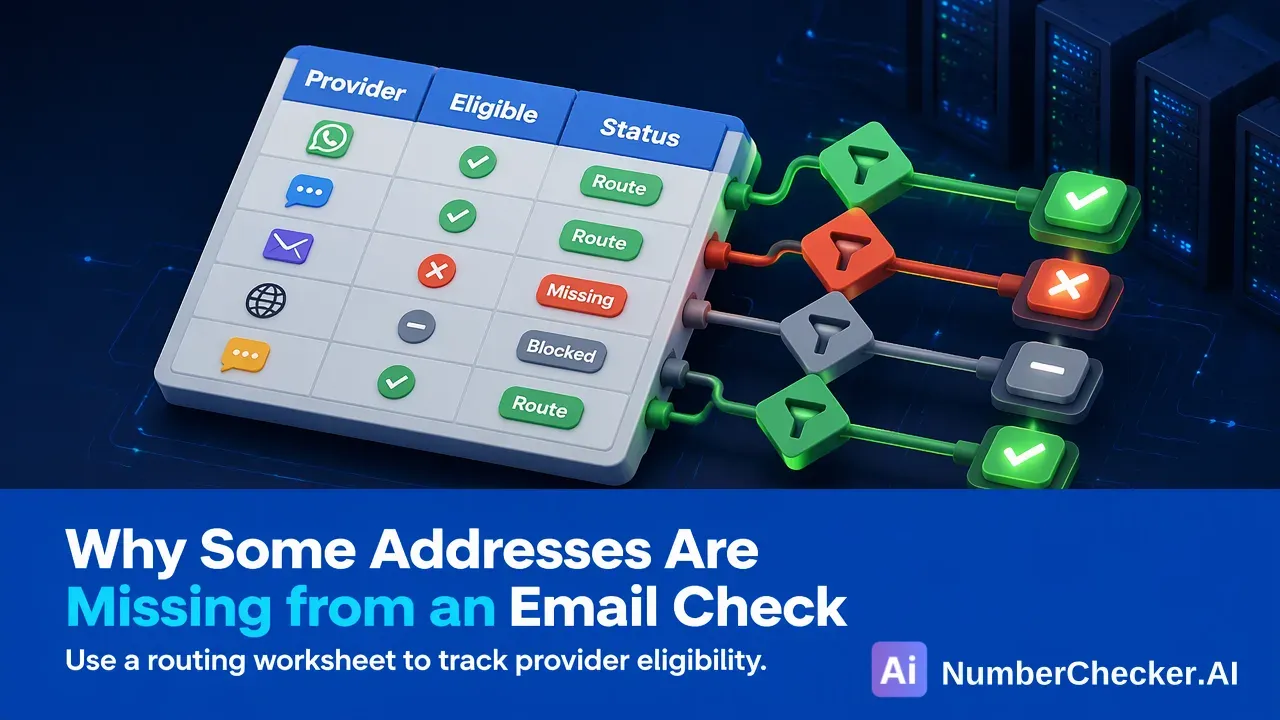
Make a routing worksheet from the original list
Keep a copy of the customer-owned source list with a stable row key. In a working sheet, add columns for the address as received, its normalized provider domain, the chosen question, the named product, eligibility under that product’s current documentation, and whether it was submitted. A separate consent or contact-permission record belongs to the team’s own process; an email check does not establish permission to contact someone.
| Source row | Intended question | Routing decision | Later interpretation |
|---|---|---|---|
| Supported consumer provider | Mailbox availability | Submit to deliverability check if appropriate | Interpret only returned observation |
| Supported avatar provider | Public avatar availability | Submit to avatar check if appropriate | Keep separate from mailbox availability |
| Company or other unsupported domain | Either question | Hold outside this provider-limited task | No result from this product |
| Duplicate or malformed input | Preparation quality | Review with the team’s list-cleaning process | Do not invent a service verdict |
The table is a routing design, not a product response schema. Keep the original row key outside the vendor result if necessary so the team can join a returned address to its source record. If multiple source rows share one email address, record that relationship rather than double-counting a single observed address as multiple independent checks.
Reconcile the export with what was actually eligible
Once an asynchronous task reaches its documented completed export state, download the result and compare its addresses with the prepared, eligible submission set. For email_check and email_avatar, the documented provider and alias-domain filters explain why unsupported addresses can be absent from the export. Those rows should remain in an excluded bucket, not become negative results. A result missing for a different reason needs investigation rather than an assumed explanation.
A useful reconciliation has four counts: source rows, rows considered eligible and submitted, rows represented in the export, and rows held for review. Check duplicates separately. For each unmatched row, look back at the routing decision and task outcome. Was it excluded by provider scope, never submitted, or still unresolved after the task? Do not label it invalid to make the counts balance. A negative or unverifiable observed result also needs its own label; the product profile says it is not definitive proof that an address is invalid.
Preserve the check date, named product and source key beside any observation. That lets a reviewer distinguish a current finding from a stale or absent one. It also prevents a later CRM import from collapsing all blank cells into one false category. Review the actual exported column names against current documentation rather than assuming every email product has the same schema.
Send company domains and unresolved addresses to a separate process
The provider-limited check cannot answer every question in a mixed customer database. Company and self-hosted domains need a separate, explicitly supported method if mailbox-level verification is required. A syntax or MX review can describe format or domain-level mail setup, but it should not be reported as the same mailbox-availability signal. The team may instead ask the contact to confirm the preferred address through an established, consent-aware process.
Keep unresolved cases visible to the CRM owner. For example, a worksheet status can say ‘outside selected product scope’ or ‘needs separate verification’ without pretending those are vendor response values. Only after a suitable method produces evidence should the team add a new observation with its source and time. Do not merge a later check into the older result without traceability.
Before the next upload, use the NumberChecker API documentation to confirm current supported providers and task handling, split eligible addresses by the question being asked, and retain unsupported rows for a separate review. The practical outcome is a complete account of the source list, including the addresses that the selected service was never asked or able to evaluate.
Get Started with NumberChecker.AI
Explore NumberChecker.AI’s supported bulk list-checking products and choose the capability that fits your workflow.
Ready to get started?
Try our WhatsApp number validation service and see the difference clean data makes.

