Email Address Validation: Syntax, MX Records and Disposable Domains
Understand email address validation layers: syntax, MX records, duplicates and disposable domains, plus when a separate mailbox check may help.
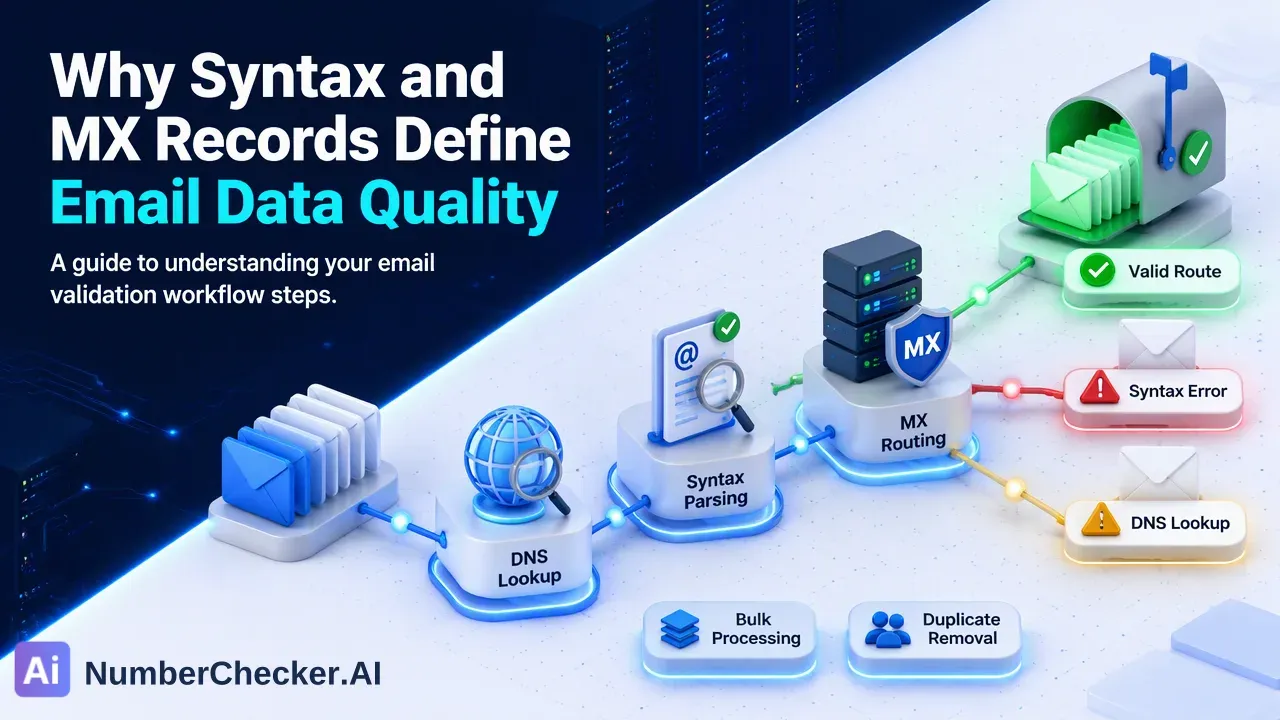
An email address validation syntax MX check tests two different things: whether an address is written in a plausible format and whether its domain has mail-routing records. Neither test alone confirms that the named mailbox exists or that its owner will read a message. Duplicates and disposable domains add list-quality decisions, while mailbox availability is a separate question.
What email address syntax validation can tell you
Syntax is the first layer because malformed text is hard to interpret at every later stage. The check looks at whether the address follows an acceptable structure, including the local part, at sign, and domain. A missing at sign or an obviously malformed domain can be caught without asking any mail server whether a mailbox exists. The Amazon SES validation documentation treats syntax as a separate evaluation from DNS records and mailbox existence.
The limit is just as important as the benefit. A well-formed string can refer to a nonexistent mailbox. It may also be a former employee’s address, a shared inbox, or an address entered by someone other than its owner. Syntax does not prove ownership, permission to send, or current reachability. Teams should label the result “format checked,” not “person verified.”
For an import, inspect how malformed addresses arose. A typo made at collection may be repairable if the customer supplies a correction. A field that accidentally contains a full name or a spreadsheet formula signals a mapping problem. Keep the original value for audit and correct the source process; do not manufacture an address by guessing a person’s name or company domain.
What an MX record check adds
A mail exchanger, or MX, record is a DNS instruction identifying servers that accept mail for a domain. AWS explains MX records in the context of configuring a receiving domain. Checking these records adds domain-level context: the domain may be configured for inbound mail, or it may lack the expected routing information.
This is a different level of evidence from syntax. An address can be perfectly formed but use a mistyped or inactive domain. Conversely, a domain can have valid mail routing while the particular local part before the at sign does not exist. An MX check therefore cannot be translated into a claim that a person will receive, open, or answer mail.
When a team reviews a domain-level issue, separate transient configuration questions from obvious input errors and follow its normal contact-data correction process. This article does not prescribe a specific retry interval or DNS-failure interpretation. The useful operational step is to retain the check date and the reason for review, so a later recheck does not erase what the team knew when it made the decision.
Duplicates and disposable domains are list decisions
Duplicate addresses create repeated CRM records or repeated attempts to the same contact. Removing exact duplicates is a list-management action, not evidence about mailbox validity. Decide which source record should remain and preserve the consent and provenance information from the others before merging. Two records with the same address may have different collection histories, so a careless merge can lose the basis for future outreach.
Disposable domains are commonly used for temporary addresses. Amazon SES describes disposable-domain detection as a distinct category from syntax and DNS evaluation. A disposable label is a policy input: an organization may review it, ask for a durable address, or keep it for a particular low-risk purpose. It should not automatically become a claim that the person is fraudulent or that the address can never receive mail.
The free Email Cleaner in the NumberChecker.AI dashboard Toolbox combines the relevant list-preparation jobs documented for that utility: it checks syntax and MX records, removes duplicates, and removes disposable addresses. Keep the original list and the cleaned list in the team’s own workspace, with a mapping back to CRM records, so exclusions can be explained and corrected.
When a separate mailbox availability check is relevant
If the operational question is whether a mailbox appears available, format and domain checks do not fully answer it. NumberChecker.AI has a separate Email Deliverability Checker for mailbox availability at supported email providers. Teams should confirm the provider scope for that product before submitting an address list. Do not infer support for company or self-hosted domains, and do not treat an unverifiable or negative result as definitive proof that an address is invalid.
The distinction helps a team choose the minimum useful check. If an import is full of malformed strings and duplicates, cleaning is the immediate task. If the cleaned list is intended for a supported-provider campaign and mailbox availability would change the decision, a separate check may be worth considering. It does not replace consent, sending reputation management, or the organization’s own process for handling bounced mail.
Avoid combining all layers into a single “good email” badge. A plausible format, a configured domain, a non-disposable category, and an available-mailbox signal have different evidentiary scopes. Store the named result and date for each layer actually used. An unknown result should remain unknown rather than being relabeled invalid.
A practical workflow for a team-owned email list
First, identify the purpose and source of the list. Keep a stable CRM identifier, collection date, and permission record. Next, run the free Email Cleaner and review its syntax, MX, duplicate, and disposable-address removals. Route obvious input mistakes to the team that owns the collection form or import. Do not quietly delete contact history.
Then decide whether mailbox availability is actually needed for the next decision. If so, check the Email Deliverability Checker’s current supported providers and keep that result separate from the cleaning outcome. For supported bulk workflows, NumberChecker.AI accepts CSV or TXT lists and offers asynchronous REST API tasks; completed results are downloadable as ZIP files. The current API documentation should settle product support and implementation details rather than a generic example in a blog post.
Finally, establish an internal review rule for each category. A syntax failure calls for correction or recollection; a duplicate calls for record reconciliation; a disposable-domain result calls for a policy decision; an unknown mailbox result calls for caution. These are proposed team actions, not automatic actions the checker takes. The Email Validation page is the relevant product page for planning the workflow.
Frequently Asked Questions (FAQ)
Does a valid email format prove that a mailbox exists?
No. Syntax tests the address string. A separate domain or mailbox check addresses different questions, and even those results should be interpreted in their own scope.
Can an MX record confirm delivery to one person?
No. An MX record describes a domain’s inbound mail routing, not whether a particular mailbox exists, whether a message was delivered, or who reads it.
Should every disposable address be called invalid?
No. Disposable is a category that can inform an organization’s internal policy. It is not the same as a syntax failure or a claim about a person’s intent.
How should teams handle an unverifiable mailbox result?
Keep it as unverifiable. The separate Email Deliverability Checker applies to supported providers, and an unverifiable result is not definitive proof that the address is invalid.
Get Started with NumberChecker.AI
Explore NumberChecker.AI’s supported bulk list-checking products and choose the capability that fits your workflow.
Ready to get started?
Try our WhatsApp number validation service and see the difference clean data makes.

