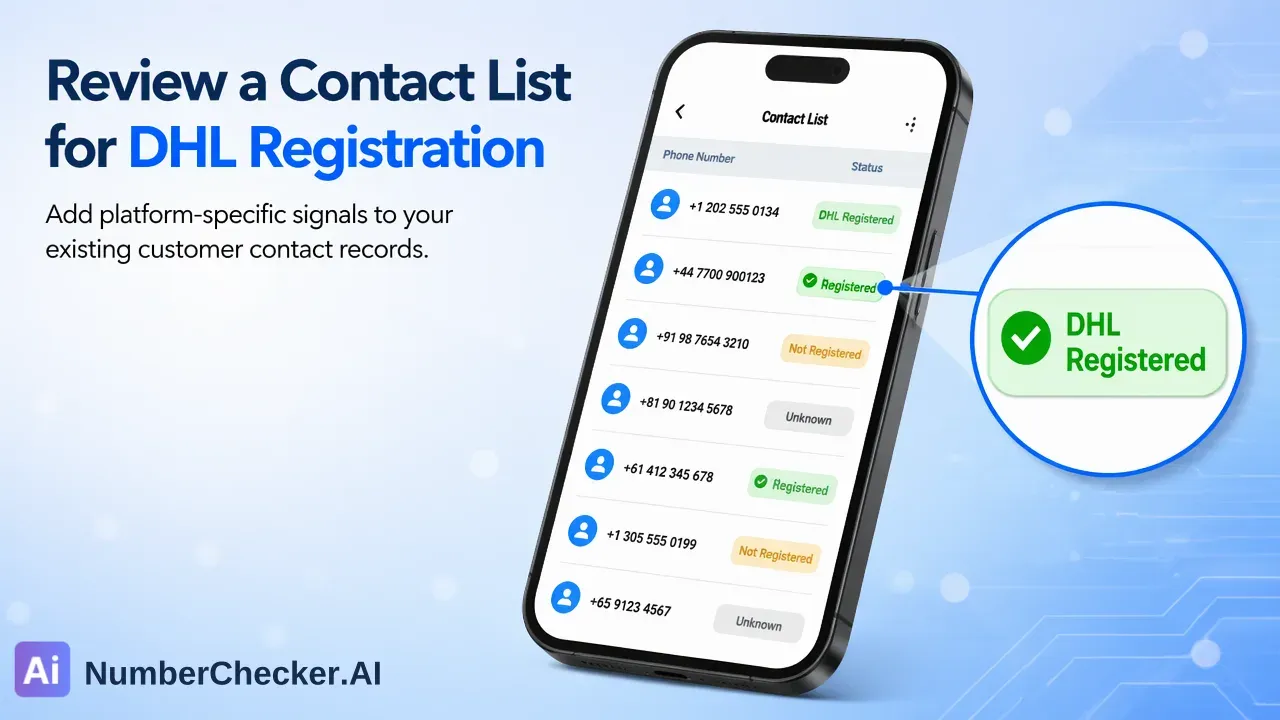
DHL Number Checker: Review a Contact List for DHL Registration
Use a DHL registration check for an existing phone list, prepare the input, and keep contact segmentation separate from parcel tracking.
A DHL number checker can add a DHL registration observation to phone numbers your team already holds. NumberChecker.AI’s DHL Checker checks a prepared phone list in bulk, so a logistics-focused business can review that named-platform segment alongside its own customer records. If you are trying to locate a parcel instead, begin with its shipment tracking number: parcel tracking and phone-account registration are different tasks.
Decide whether you need a contact segment or a shipment update
A packaging supplier might maintain a list of merchants who asked for shipping materials and delivery-related advice. The team wants to prepare an edition about international shipping preparation. A DHL registration check can add context to a permitted review of those existing contacts, especially when the team has a specific DHL-related content question.
Start by identifying what the team already knows. An enquiry about protective packaging is first-party evidence of interest in packaging. An order for mailing supplies is a transaction in your own business. A DHL registration observation is an additional platform-specific signal. Keep these useful facts beside one another instead of treating one as a replacement for the others.
Now consider the support desk asking, “Where is this customer’s parcel?” That question belongs to shipment tracking. DHL’s tracking guidance describes a tracking number or ID that identifies a shipment and explains where customers can obtain it. A customer phone number in your CRM is a contact identifier, not that shipment ID. Route the request to the order or shipping record before ordering a phone-list check.
What our DHL Checker adds
Our DHL Checker assesses whether the submitted phone numbers show a DHL registration signal at check time. Its useful output is a named-platform observation for the number provided. It helps distinguish that segment within an existing contact list without requiring an analyst to treat the entire CRM as one undifferentiated audience.
For the packaging supplier, the business application could be a review queue for DHL-related educational content. The team can compare a positive observation with the merchant’s stated interests and existing contact preferences. It should still select the content on those direct preferences. Registration alone does not establish current shipping volume, a forthcoming parcel, or demand for a packaging quotation.
DHL’s own MyDHL+ materials describe shipment-management functions and distinguish registration from shipping transactions. Those materials are useful context for understanding the platform, while NumberChecker’s current product reference defines our checking service. We do not infer additional result fields from the functions that DHL offers its account holders.
Prepare phone numbers as contact data
Begin with a source file that keeps your customer ID, original phone value, and the reason the contact is in the review. Make a separate working list for checking. That lets you preserve merchant relationships when several records share a number, rather than merging customer records simply because the checking input is duplicated.
Confirm the selected DHL product’s current country coverage before preparing the upload. NumberChecker’s phone-list workflow uses one country per file and one number per line with the country code; the plus sign is optional. The selected documentation recommends E.164 formatting. If the source contains local numbers without reliable country information, resolve that uncertainty in your records before constructing an international number.
Use our Number Cleaner when you need to normalize numbers to E.164 and remove duplicates or invalid entries ahead of a paid check. Keep the relationship between the cleaned number and the original record in your own file. An extension, an internal customer reference, and a shipment tracking number should remain in their own fields rather than being appended to the checking input.
Check a sample, then review the completed export
Select DHL Checker for the prepared list and use the supported CSV or TXT bulk workflow. An API integration can perform the recurring task through NumberChecker’s asynchronous REST API. Use the selected service’s current reference for submission, status checking, and result retrieval; a submitted task is not yet a completed contact observation.
For the first sample, verify two things before expanding the run. First, can each returned observation be matched to the correct submitted number? Second, does the person using the result understand the registration question? Those checks prevent a technically successful upload from producing an unusable business list.
Keep a completed negative separate from an unresolved or failed entry. If a record has no usable result, inspect the task outcome instead of placing it automatically in the unregistered group. Retain the check date so a later colleague can tell when the observation was made. A refreshed customer number needs its own observation; the previous number’s result should not follow it automatically.
Put the segment to work without mixing systems
Return to the packaging supplier’s content edition. A practical working view could show the merchant’s enquiry topic, the submitted phone number, the dated DHL observation, the existing communication preference, and the proposed article. These are columns your team creates for its decision, rather than a description of extra fields supplied by our checker.
A contact with a positive DHL observation and a recorded interest in international packaging can enter a review for that edition. A contact who requested only a transactional quote should remain on the communication path appropriate to that request. Prior express and informed consent and current suppression records govern outreach; platform registration does not create them.
Keep shipment updates in the shipping system throughout. When someone asks about a delayed parcel, the useful next step is to find the shipment reference and use DHL’s tracking process. When the team wants the DHL registration composition of an authorized phone list, the bulk checker addresses that question.
Start with a small, country-specific list and one clear segmentation purpose. The NumberChecker API documentation includes the DHL reference for the current checking workflow. After the sample, review the result beside the customer’s actual interests before preparing the full audience.
Get Started with NumberChecker.AI
Explore NumberChecker.AI’s supported bulk list-checking products and choose the capability that fits your workflow.
Ready to get started?
Try our WhatsApp number validation service and see the difference clean data makes.

