How to Bulk-Verify a Lead List Before a Calling Campaign: A Complete Checklist
Follow this checklist to bulk verify phone numbers before a calling campaign, from data cleaning and normalization to line-type and platform checks.
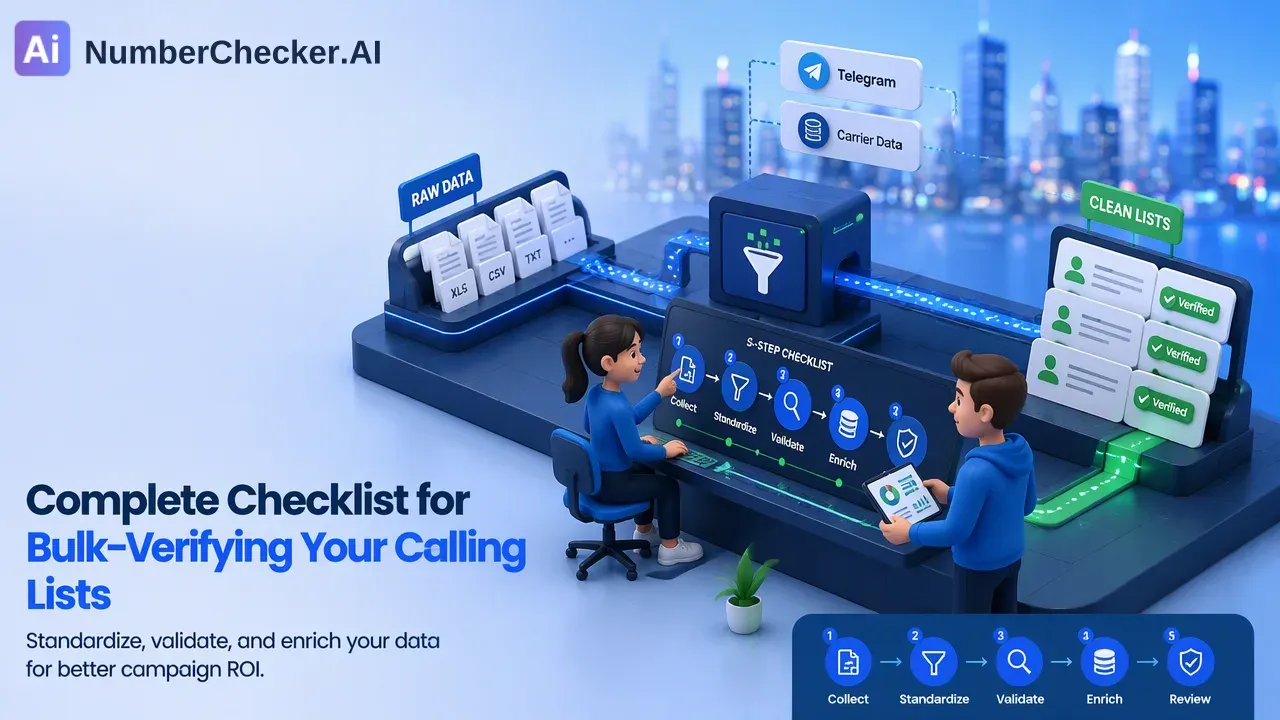
To bulk verify phone numbers before calling campaign execution, outbound teams follow a structured five-step checklist: normalize records to international standard formatting, remove duplicate entries, run batch phone-number validity checks, evaluate line-type context with carrier data, and optionally evaluate platform-specific reachability signals. Running these bulk checks before dialing helps teams filter unassigned or malformed numbers, organize campaign queues, and protect operational resources without inferring recipient identity or consent.
Step 1: Clean and Normalize Phone Data into E.164
Before submitting any contact list to paid verification services, outbound teams must standardize raw contact entries to eliminate formatting syntax errors.
Raw contact databases often contain punctuation, spaces, missing country prefixes, and accidental duplicate entries. Outbound operations can use the free dashboard Number Cleaner in the NumberChecker.AI Toolbox to prepare lists efficiently.
-
Normalize to E.164: Convert local phone strings into full international numbers that include the country calling code.
-
De-duplicate entries: Strip repeated entries within the database to prevent duplicate dialing attempts to the same party.
-
Remove malformed records: Filter out incomplete digits, non-numeric artifacts, and empty rows before queuing downstream jobs.
-
Organize by region: Phone-list uploads require one country per file, formatted as a CSV or TXT file with one number per line. Note that phone-number products do not support China mainland; confirm regional availability using the product country selector.
Step 2: Run Bulk Phone Number Validation
Once the list is cleaned and normalized, the next operational phase is batch validation to distinguish valid numbers from inactive or unassigned records.
Using Phone Number Validation, teams submit lists via bulk CSV or TXT file uploads or initiate asynchronous tasks using the REST API. This batch check inspects numbers to return an authoritative validity signal.
-
Batch validation execution: Upload organized files or send an asynchronous request to process large volumes systematically.
-
Result export: Once processing completes, download the resulting data packaged as a ZIP file.
-
Segmenting invalid records: Isolate invalid records from active dialing pools, helping sales and support teams focus operational time on valid destination numbers.
Step 3: Add Carrier and Line-Type Context
Basic numerical validity confirms a number’s structural standing, but calling campaigns benefit from understanding the underlying network configuration.
Applying Carrier Detection enriches phone lists with carrier and line-type context. This step helps calling teams differentiate mobile numbers, landlines, and virtual/VoIP services.
-
Line-type routing: Landlines and fixed lines cannot receive SMS follow-ups, whereas mobile lines support multi-channel communication strategies.
-
Carrier intelligence independence: Line-type and network data reflect telecommunications routing context and remain strictly distinct from platform registration or validity signals.
-
Operational segmentation: Informs team routing rules, such as directing mobile contacts toward mixed voice-and-messaging sequences while sending fixed numbers strictly to voice queues.
Step 4: Check Platform Registration and Activity Signals (Optional)
Depending on campaign architecture, outreach teams may plan auxiliary communication through messaging applications alongside voice calls. In these scenarios, checking platform-specific presence provides useful routing context.
Teams can evaluate specific communication channels using dedicated checkers:
-
WhatsApp registration: The WhatsApp bulk checker checks whether phone numbers are registered with WhatsApp.
-
Telegram registration: The Telegram Number Checker verifies whether numbers are registered on Telegram, while the Telegram Days Checker provides available last-seen context and membership signals.
-
Phone activity: Teams looking for phone-number activity signals can use Number Active Checker to assist with prioritization.
-
Signal boundaries: Platform registration confirms only platform-specific account presence at check time. It does not prove recipient identity, device state, contact ownership, or willingness to engage.
Step 5: Verify Consent Records and Finalize Campaign Segments
Technical validation confirms whether a number exists, what carrier operates it, and whether it appears on external platforms. However, none of these data points satisfy legal requirements for customer outreach.
Outbound teams must coordinate technical check results with internal regulatory records before initiating calls:
-
Maintain consent logs: Ensure every record in the calling pool contains explicit, documented consent appropriate to the jurisdiction and call type.
-
Separate registration from permission: Never treat account presence on WhatsApp or Telegram as implicit consent to receive phone calls or promotional messages.
-
Finalize campaign lists: Merge the validated, carrier-tagged list with suppression databases to produce the finalized dialing queue.
For API specifications and programmatic automation details, review the NumberChecker API docs. For current service tiers and account options, refer to the official Pricing page.
Frequently Asked Questions (FAQ)
What file formats and structures are supported for bulk phone verification?
Bulk verification workflows support CSV or TXT list uploads as well as asynchronous REST API tasks. When preparing files for phone-list checks, teams must organize files using one country per file and format records with one phone number per line, including the country code. The leading plus sign is optional.
Does a platform registration signal guarantee a successful call or recipient answer?
No. A platform registration signal indicates only platform-specific reachability and deliverability at the moment of the check for services such as WhatsApp or Telegram. It does not establish general phone validity, device state, user preference, active use, ownership, consent, or willingness to reply. It cannot guarantee connect rates, answer rates, or campaign performance.
How are completed bulk verification results delivered for downstream workflows?
When a bulk processing task finishes across the dashboard or asynchronous REST API, completed task results are downloadable as a ZIP file. Outbound teams can extract the clean data, review result categories, and import the segmented outputs into internal dialing software or CRM systems.
Get Started with NumberChecker.AI
Explore NumberChecker.AI’s supported bulk list-checking products and choose the capability that fits your workflow.
Ready to get started?
Try our WhatsApp number validation service and see the difference clean data makes.

